Wednesday, 22, July, 2026

Learn How to Use WhatsApp on PC
Learn How to Use WhatsApp on PC

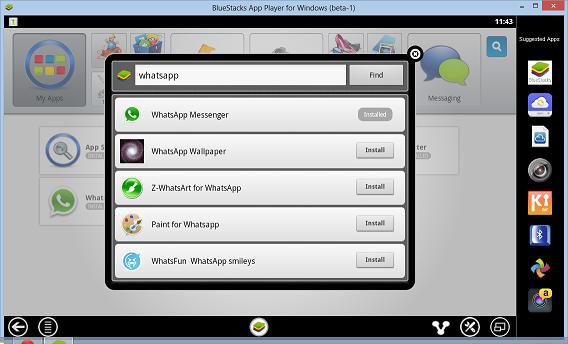
WhatsApp is among those apps which need no introduction to any user. Not just smartphone owners, even featured mobile phone owners are looking for the app as it is the most popular or you can even call it as number one app of the smartphone. If you wish to use it from PC online then I’m here with a guide that will let you download WhatsApp for PC (Windows) for free. Download WhatsApp for PC (Windows) Follow the simple steps as mentioned down here in order to download WhatsApp for Windows PC. Download BlueStacks app player on your PC first and install it. (link) Using search tool of BlueStacks, find WhatsApp app. Download the app and install it once you found it. That’s it! This is how you can and use it from PC online for free.
Share this Page: Facebook Twitter LinkedIn WhatsApp

Please Share Your Comments:

Khanewal Dot Com Logo

Khanewal.com.pk is a comprehensive local portal offering a blend of cultural insights, public service information, and entertainment resources for the Khanewal district.

Copyright © 2026. All Rights Reserved By:Khanewal.com.pk

Website Powered and Coded by: Soft Dot Com, Basic Templete Designed by HTML Codex

