Saturday, 18, July, 2026

Top 5 Data transferring Apps
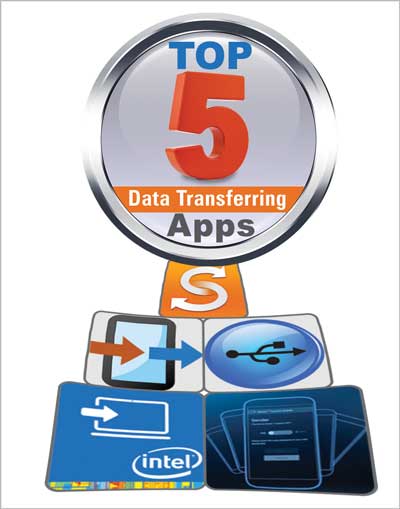
Top 5 Data transferring Apps

Almost each one of us needs to transfer data from one device to another every now and then and for this reason we use various methods like USB cables and memory card etc., but there are few things which we cannot transfer using these methods are like bookmarks, call logs, text messages, calendars events and few settings. But today, moving such things from one device to another is not a big issue with the invention of data transferring apps. Below are some of the useful apps, through which you can easily transfer the data from one device to another or even to the cloud storage. 1: Intel Easy Migration App: Intel has just recently introduced easy migration app for the Chromebook users that makes it much easier to move files from Windows, iOS or Android device to your Chromebook. The app is available on app stores for free which can be installed easily and you can not only transfer your important documents or videos, bookmarks, documents and audio files but also your local or Hotmail contacts to Google Contacts by just clicking ‘Quick Migration’ option. Not only this, Easy Migration app also gives the option to pause and resume the migration process and gives the user real-time access to your Google Drive. Samsung Smart Switch Mobile This app provides the users facility to transfer content to the new Samsung Galaxy device in a simpler way and also helps in finding and suggesting favorite apps for your new device from the Google Play. From iPhone, Smart Switch allows the user to log-in to iCloud though existing ID and supports wireless content transfer including contacts, calendar, photos, memos, call logs, alarms, bookmarks and Wi-Fi settings. Form Android, pair your old smartphone with the new Galaxy through an audio signal i.e. Bluetooth and transfer content (including contacts, calendar, text messages, pictures, music, videos, documents, call log, wallpaper, lock screens, alarms and Wi-Fi settings) directly from one device to the other. For this reason, you need to download Smart Switch Mobile app on both devices and while keeping them closer, you can easily transfer content from old device to the new. Transferring data from Blackberry or Symbian, your device’s version needs to be at least 6.0 or higher and in case of Nokia, it should be higher than series 40. Xperia Transfer Mobile This is an app made to transfer data including contacts, calendar, SMS, MMS, bookmarks, notes, photos, music, videos and other documents from your old smartphone or tablet through wireless or transfer cable to your new Sony Xperia. For transferring data from: Android phone, it must have 4.0 or any later version. iPhone, iPad and iPod with iOS 4.0 and later versions. Windows Phone 8.0 and later versions. And the data will be transferred to the new Sony Xperia device which is equipped with Android 4.3 or later versions. Software Data Cable Unlike the above mentioned apps, this app is not dedicated to a single device to transfer data and allows the users to share everything among phones, Tab, PC, Mac, Laptop, Google TV, Cloud storage, Xbox etc. with no restriction of versions. Though only Android devices can install and use this app but the data can be transferred and synced to any/all of the operating systems. The app requires minimal setup and eliminates the use of USB cable and uses Wi-Fi network to transfer data. The best part is its Auto-Sync feature for PC, phone and Cloud Storage which the user can adjust accordingly to sync the data on daily weekly or monthly basis. Once you install the app from play store and launch it on your device, you will observe that it is divided into three segments to cover all your file transfer needs. Using these segments, the user can send files from phone to PC, between two android phones and also do a cloud file. Copy My Data Copy My Data is another useful app which is available on Google Play or the Apple App Store and itself guides the user about the process of copying data from one device to another by following simple and easy steps. This app also uses Wi-Fi network to transfer data including contacts, calendar entries, photos and videos without the need of computer and it works when both the devices i.e. from which you want to transfer data and the one you want to transfer data, are connect to the same Wi-Fi network.
Share this Page: Facebook Twitter LinkedIn WhatsApp

Please Share Your Comments:

Khanewal Dot Com Logo

Khanewal.com.pk is a comprehensive local portal offering a blend of cultural insights, public service information, and entertainment resources for the Khanewal district.

Copyright © 2026. All Rights Reserved By:Khanewal.com.pk

Website Powered and Coded by: Soft Dot Com, Basic Templete Designed by HTML Codex

