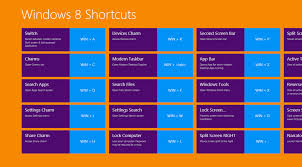
Press the Windows key to open the Start screen or switch to the Desktop (if open).
Press the Windows key + D will open the Windows Desktop.
Press the Windows key + . to pin and unpin Windows apps on the side of the screen.
Press the Windows key + X to open the power user menu, which gives you access to many of the features most power users would want (e.g. Device Manager and Command Prompt).
Press the Windows key + C to open the Charms.
Press the Windows key + I to open the Settings, which is the same Settings found in Charms.
Press and hold the Windows key + Tab to show open apps.
Press the Windows key + Print screen to create a screen shot, which is automatically saved into your My Pictures folder.
Share this Page:
Please Share Your Comments:
Khanewal.com.pk is a comprehensive local portal offering a blend of cultural insights, public service information, and entertainment resources for the Khanewal district.