Tuesday, 21, July, 2026

How Do I Check and Fix Errors on Hard Drive?
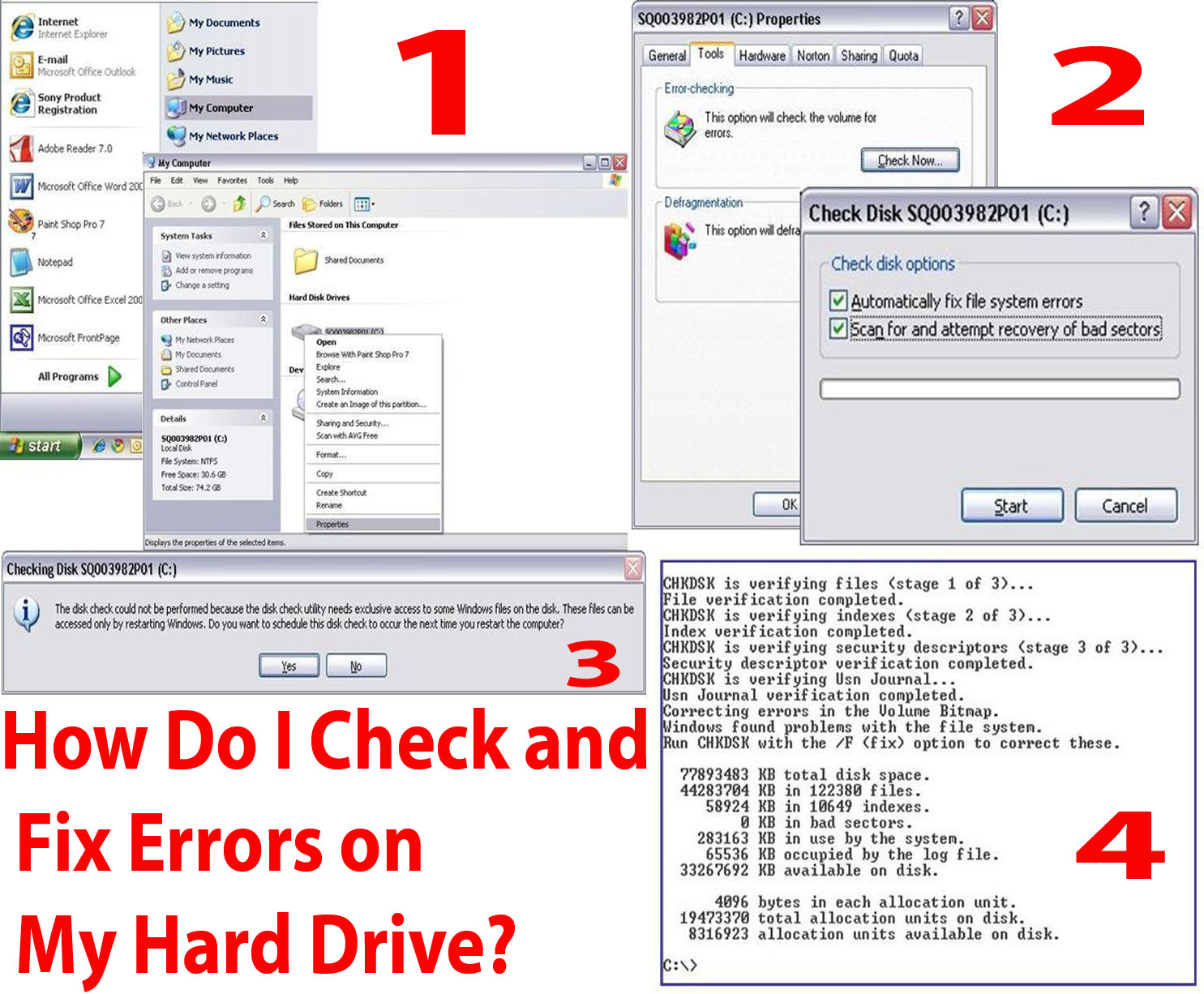
How Do I Check and Fix Errors on Hard Drive?

The first sign that a hard drive is going bad is logical errors found using a utility like CHKDSK. The CHKDSK Utility can check and fix hard drive errors. CHKDSK scans the hard drive corrects logical sector errors, marks bad sectors that cannot be fixed and moves data to safe, healthy places on the hard drive. This utility does not operating automatically – users must manually start it.
Share this Page: Facebook Twitter LinkedIn WhatsApp

Please Share Your Comments:

Khanewal Dot Com Logo

Khanewal.com.pk is a comprehensive local portal offering a blend of cultural insights, public service information, and entertainment resources for the Khanewal district.

Copyright © 2026. All Rights Reserved By:Khanewal.com.pk

Website Powered and Coded by: Soft Dot Com, Basic Templete Designed by HTML Codex

