How to Remove Write Protection In Pendrive/Sd Card
METHOD 1 :- Using Command Prompt
Step 1: First of all plug in you write protected pendrive in your pc/laptop. Wait until the
windows detect your pendrive or memory card. Now back up your data because your
going to format it.
Step 2: Now as we are using command prompt in this method so after connecting you
pendrive/memory card open the cmd. To open cmd you can do this by simply going to
“Start”, then just search for “Command Prompt”, or you can simply just type “cmd” in
“Run” and command prompt should pop up.
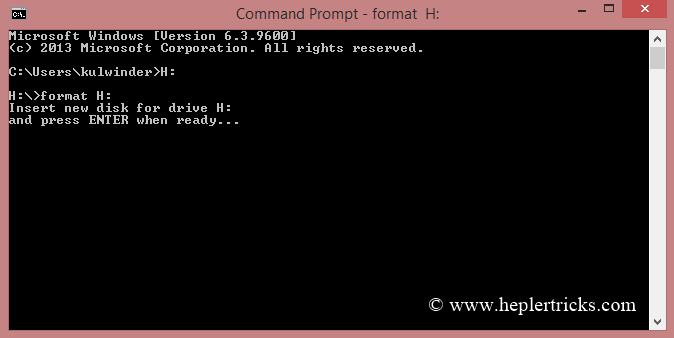
Step 3: Now in the command prompt, type in the drive letter of your pen drive with a colon
at the end, like this: “ H: ” but without the quotation marks.
Step 4: After entering the previous command in cmd, type “format” without the quotation
marks. Here’s how to do it: “format H:” and then press “Enter.”
Step 5: Now after completing the format proceed to closing command prompt.
That's it you are done ! Enjoy !
Share this Page:
Please Share Your Comments:
Khanewal.com.pk is a comprehensive local portal offering a blend of cultural insights, public service information, and entertainment resources for the Khanewal district.


